ek777 App: Download the Android APK in One Tap
The ek777 app puts the lobby, the cashier and 4,200 slots on your phone. The APK is 52 MB, runs on Android 7.0 and newer, and installs without Google Play. Tap download, allow the install once, and you are at the tables in under a minute.
File ek777.apk · 52 MB · Version 2.6.11 · Free · 18+ · Play Responsibly
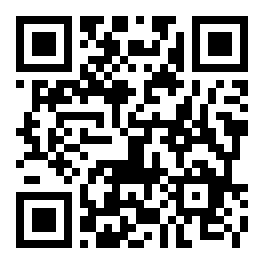
On a laptop? Scan this code and the download opens on your phone, ready to install.
Version, File Size and Android Support
Nothing here needs a store account. The build on this page is the current one, and the whole download is 52 MB. Keep roughly 150 MB free so the game cache has room to grow, and use Wi-Fi for the first grab if your mobile data is limited.
| Detail | Value |
|---|---|
| Version | 2.6.11 |
| File size | 52 MB |
| Android minimum | 7.0 or newer |
| Last updated | 9 November 2026 |
| Price | Free |
| Languages | English and Bangla |
| File name | ek777.apk |
| Google Play | Not required |
Playing for real money also needs a cashier route you control: bKash, Nagad, Rocket, Upay or a bank transfer, with ৳250 as the smallest deposit and ৳1,200 as the smallest cash-out. Those numbers are the same in the app and on the site.
ek777.apk
52 MB · v2.6.11
Download APKUpdated 9 November 2026. Installs over your current build, so your login and balance stay put. You need to allow installs from your browser once.
What Opens Up After You Install the ek777 App
One screen holds the parts you use most: the lobby, the cashier, your bonus page and support chat. Here is what each piece does on a phone that travels with you.
Slots From Six Studios
The full 4,200-title lobby travels with you: Pragmatic Play, JILI, CQ9, Habanero, Evolution and Spribe. Treasures of Aztec opens at ৳2 a spin with a 97.8% RTP, so a ৳500 balance stretches through a long evening.
Live Dealer Tables
Roulette, blackjack and Teen Patti stream from live studios with real dealers. Cards are dealt on video, so you watch each round land rather than reading a result. Table limits suit a ৳250 bankroll and go a lot higher.
Crash and Aviator Rounds
Crash titles run in short rounds that finish inside a minute, which suits a queue at the bank or a tea break. Set the stake, watch the multiplier climb, cash out before the round ends. Our Aviator guide covers the timing.
Cricket and Football Lines
Match markets stay open through BPL nights and international fixtures. The slip is built for quick picks: choose your team, set the stake, confirm. Prices move with the game, so check the line just before the toss.
Cashier in the Same App
Deposits run through bKash, Nagad, Rocket, Upay and bank transfer. Money usually lands in 3 minutes and withdrawals take about 16 minutes, with ৳250 as the deposit floor and ৳1,200 for a cash-out.
Bonuses That Follow You
The 230% first deposit bonus up to ৳9,000, 20% reloads, 1% daily cashback and the ৳500 referral reward all sit inside the app. Wagering is 22x, so read the terms on the bonus page before you claim anything.


Both tiles open at ৳5 or less per spin, and the rest of the casino lobby sorts by provider, so you can jump straight to the studio you trust.
App or Browser: Which One Fits Your Day
You keep one account either way. The difference is how the screen behaves when your connection, your storage or your battery is not at its best.
| Situation | ek777 app | Browser version |
|---|---|---|
| First visit | One 52 MB download, then the lobby opens from your home screen. | Opens at once; no file to keep, but pages load fresh each time. |
| Repeat sessions | Game art stays on the phone, so a second session pulls less data. | Images reload unless your browser has them cached. |
| Storage used | 52 MB at install, plus whatever the game cache collects. | Nothing beyond the browser cache you already have. |
| Weak or shared Wi-Fi | Holds up better once installed; rounds survive a short dip. | Depends on the signal; a drop mid-round can cut the screen. |
| Alerts | Optional pings for deposits, withdrawals and bonuses. | No push alerts; you check the cashier yourself. |
| Moving money | Cashier opens over the table without losing your place. | You switch pages, then come back to the game. |
| Staying signed in | Stays logged in until you log out. | May ask for the password again after a while. |
| New builds | You download the next APK from this page. | Always the newest version on the server. |
Neither option changes your wallet, your bonus progress or your limits. If you open the cashier once a day from home, the browser is enough. If you play on the bus or between classes, keep the app on the home screen.
From Download to First Login in Five Steps
The whole path takes a few minutes on a phone with Android 7.0 or newer. Do it once and the steps below never come back.
-
1
Allow installs from your browser
Open Settings, go to Apps, then Special access, then Install unknown apps, and switch your browser on. On Samsung phones the same switch hides under Apps and the three-dot menu. You only do this once; Android remembers it.
-
2
Download the file
Tap Download APK on this page. The file is named ek777.apk and weighs 52 MB, so give it a minute on mobile data and keep the screen awake until the notification says it has finished.
-
3
Open the file and install
Find ek777.apk in your Downloads folder or tap the download notification. Choose Install, then Install anyway if Play Protect raises a warning. On most phones the install finishes in well under a minute.
-
4
Log in or open an account
Launch the app and sign in with your number and password, or register in a few fields. Existing players keep the same wallet, so nothing moves when you switch from browser to app. Stuck on the password? The login page walks through the reset.
-
5
Deposit and pick a game
Open the cashier, choose bKash or Nagad, and send at least ৳250. The balance usually shows within 3 minutes. Then go back to the lobby and pick a title from the tiles.
On iPhone and iPad: Add to Home Screen
- Open ek777.me in Safari, not in a social app browser.
- Tap the Share button in the toolbar.
- Scroll the list and choose Add to Home Screen.
- Name it ek777 and tap Add, then open it from the icon.
Apple phones cannot install an APK, so this shortcut is the closest match: it opens the full mobile site in its own window, with the same login, cashier and game list.
Permissions the App Asks For and Why
Files and storage
The app keeps game graphics and sounds on the phone so rounds do not reload every time. It uses about 52 MB at install and grows slowly as the cache fills. You can clear that cache in Android settings whenever you like.
Network access
Needed to load games, show your balance and send withdrawal requests. Beyond the menu, nothing works offline, so keep a data or Wi-Fi connection open while you play.
Notifications
Off until you allow it. Turn it on if you want a ping when a withdrawal is approved, a bonus lands or support replies. You can switch it off inside the app or in Android settings at any time.
Camera
Asked for only when you scan a code or upload a KYC document. Verification accepts an NID card, passport or driving licence and is checked within 24 hours, before your first withdrawal.
When the Install Fails: Common Fixes
Most failed installs come from an unfinished download or a switch that is still off. Match your message to the row below.
| What you see | Why it happens | What to do |
|---|---|---|
| App not installed | The download stopped before all 52 MB arrived, or an older build of the ek777 app is still on the phone. | Delete the partial file from Downloads, uninstall the old version, then download again on Wi-Fi and install once. |
| Install blocked | Android only trusts the Play Store by default, and your browser is not yet allowed to install files. | Open Settings, Apps, Special access, Install unknown apps, allow your browser, then tap the APK again. |
| Play Protect warning | Google scans the file, does not recognise a build installed outside its store,…. | Tap More details, then Install anyway. This warning appears for every sideloaded app, not only this one. |
| Download stuck at 0% | Weak signal, a full phone, or a browser that blocks the file type. | Free about 150 MB, switch to Wi-Fi, and retry in Chrome. If it still stalls, open this page in another browser. |
| App closes after the splash | The phone runs a version below Android 7.0, or the installed file is damaged. | Check Settings, About phone, Android version. Below 7.0, use the browser. Otherwise uninstall and install the 52 MB file again. |
Still stuck after these? Support answers on 24/7 Live Chat, from inside the app or from the site, and can check your account while you wait. Our FAQ hub covers cashier questions that are not about the file.
One Tap Back Into the Lobby, Every Time
Install once and the lobby, the cashier and your bonus balance sit on the phone you already carry. Nothing in between you and the file: no store account, no waiting queue.
- Straight from this page. The build is 52 MB and needs Android 7.0 or newer, so most phones sold in Bangladesh over the last few years will run it.
- Your account comes with you. Same login, same balance, same bonus progress you see in the browser. Install over an older build and nothing resets.
- Cashier in the same window. bKash, Nagad, Rocket, Upay or bank transfer, with deposits showing in about 3 minutes and cash-outs around 16 minutes.
- Free, and it updates in place. New versions replace the old one on top, so your saved password and settings stay where they are.
Scan and the file opens on your phone